

We’ve released new and updated user guides to help you get more value from Gold. These resources focus on improving visibility, efficiency and decision-making — helping your teams uncover new opportunities.
Whether you’re managing stock funding, tracking competitive equipment or planning workshop workloads, the guides below walk you through the latest functionality and best practices.
Improve Stock Funding and Visibility in Wholegoods
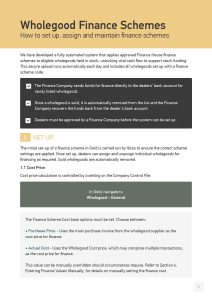
- Wholegood Finance Schemes – How to set up, assign and maintain finance schemes
Gold includes a fully automated system that applies approved Finance House finance schemes to eligible wholegoods held in stock, helping unlock vital cash flow to support stock funding.
This guide explains how to:
- Set up and maintain finance schemes in Gold
- Assign finance scheme codes to eligible wholegoods
- Understand how the secure automated upload runs daily to apply schemes correctly
Once configured, all wholegoods with a finance scheme code are automatically uploaded, helping ensure accurate and consistent finance scheme application with minimal manual intervention.
Work Smarter with Sales & CRM Tools
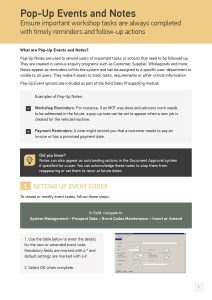
2. Pop-Up Events and Notes – Ensure important tasks are always completed
Pop-Up Notes help your teams stay on top of important actions by providing timely reminders directly within Gold. They can be created across a range of enquiry programs, including Customer, Supplier and Wholegoods, and assigned to:
- Individual users
- Departments
- All users
This guide shows how to use Notes to track tasks, requirements and critical information —making follow-ups easier and more reliable.
Did you know?
Notes can also appear as outstanding actions in the Document Approval system (when assigned to a user).
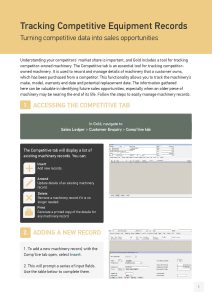
3. Tracking Competitive Equipment Records – Turning competitive data into sales opportunities
Understanding competitor activity is key to identifying future sales opportunities. Gold’s Competitive tab allows you to record and manage details of machinery a customer owns that was purchased from a competitor.
This guide walks you through how to:
- Record competitor-owned machinery
- Track make, model, warranty end dates and potential replacement dates
- Use this information to identify machines nearing end of life
The data captured can be invaluable for proactive sales conversations and planning.
Did you know?
Competitive equipment records can be used when generating mailshots or extract lists in the CRM module (if licensed). These options are available via the CRM Extract / Print Mailshot program.
Plan More Effectively with Workshop Scheduler
4. Workshop Scheduler – Latest updates and enhancements
Workshop Scheduler gives you full visibility of your engineers’ workloads and integrates with Gold Service, helping you manage workshop planning more efficiently. Our latest enhancements enable you to:
These guides help you plan workloads efficiently, track progress and make the most of Workshop Scheduler.
Start Using These Resources Today
Each guide includes step-by-step instructions to help you apply the functionality in your day-to-day processes. We recommend reviewing the guides relevant to your role and sharing them with your teams to ensure you’re getting the most from Gold.
If you have any questions, reach out to your Account Manager.
For additional guidance, visit our YouTube channel to stay up to date. You can expect many tutorials and guides throughout the year.
