
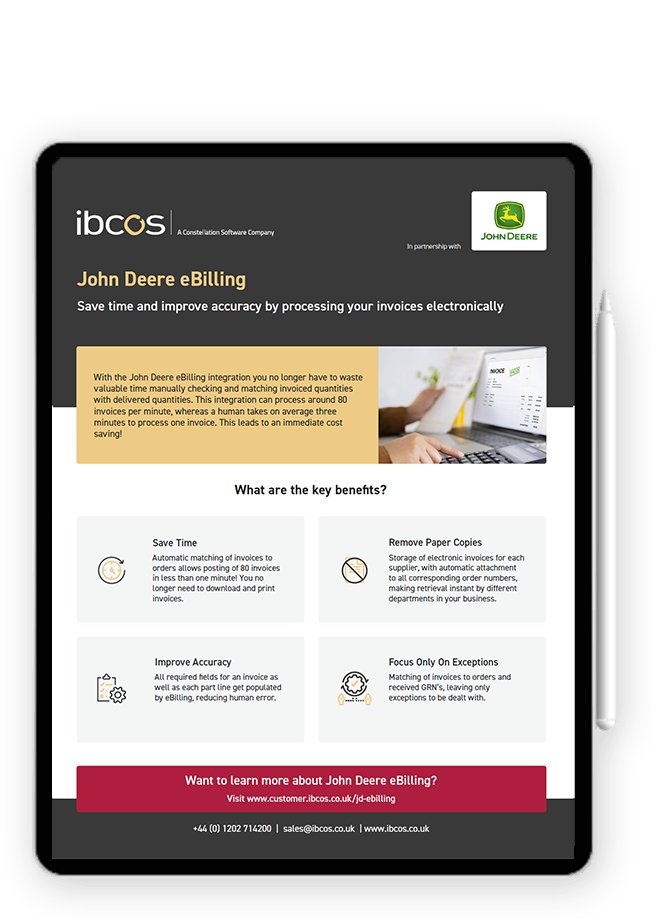
Save time and improve accuracy by processing your invoices electronically with
John Deere eBilling
You no longer have to waste valuable time manually checking and matching invoiced quantities with delivered quantities. This integration does it all for you!
What are the key benefits?
Save Time
Automatic matching of invoices to orders allowing posting of 80 invoices in less than one minute! No need to download and print invoices.
Remove Paper Copies
Storage of electronic invoices for each supplier, with automatic attachment to all corresponding order numbers, making retrieval instant by different departments in our business.
Improve Accuracy
All required fields for an invoice as well as each part line are all populated by eBilling. Reducing human error.
Focus Only On Exceptions
Matching of invoices to orders and received GRN's , leaving only exceptions to be dealt with.
Download our infosheet
Resources
John Deere eBilling
Product Manual
User Guides
Updates
FAQs
Support
A practical guide to processing John Deere Electronic Parts Invoices in Gold, including invoice confirmation, DocStore storage and handling variances.
Download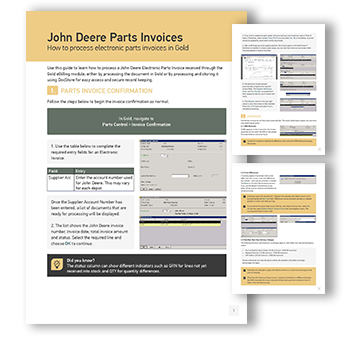
Here you’ll find user guides to help you complete key tasks quickly and easily. If you would like to suggest a user guide, please contact us at product_team@ibcos.co.uk
Surcharge Warning Configuration
Configure optional minimum and maximum surcharge warnings for John Deere Next Day parts orders in Gold to help identify unexpected charges before processing.
Recent updates, bug fixes or enhancements made to John Deere eBilling will appear here. To view all our product releases, click here.
-
8 Jan, 2026
- Intrastat – Country of Origin Added: The Country of Origin is now included on Intrastat Arrivals reports. This information is sourced directly from the eBilling XMLs sent by John Deere, providing more complete and accurate reporting.
- Irish eBilling – Supplier Mismatch Warning: A warning now appears in Invoice Confirmation when the supplier on the order differs from the supplier on the invoice received from John Deere, helping you prevent errors and ensure accurate invoicing.
- Irish eBilling – Batch Processing Improvement: When using F4 All for batch processing, invoices where the order supplier differs from the supplier on the invoice received from John Deere will now be skipped, helping prevent errors and ensuring only accurate invoices are processed.
Here is a list of frequently asked questions on John Deere eBilling.
How does Gold process John Deere electronic invoices?
Gold automatically matches electronic invoices to the relevant orders and goods received notes (GRNs). If everything matches, invoices can be processed automatically, with only exceptions requiring user attention.
What happens if an invoice does not match the order or received quantities?
If there are differences in quantities or values, Gold highlights the variances and explains the reason, allowing users to review and take manual action where required.
Where are John Deere electronic invoices stored?
All electronic invoices are securely stored in DocStore and automatically linked to the relevant orders, making them easy to retrieve and accessible to different departments.
Do we still need to manually check or store paper invoices?
No. John Deere eBilling removes the need for paper copies by processing and storing invoices electronically, saving time and improving accuracy.
Is DocStore required for John Deere eBilling?
Yes. DocStore is mandatory for the John Deere eBilling integration, as all electronic invoices are stored securely and accessed through DocStore.
If you're experiencing any issues or have suggestions for improvement, we're here to assist you. View our resources below for troubleshooting or to share your feedback.
Having Trouble?
If something isn’t working as expected double-check your setup and configuration and review the FAQs for common questions.
Raise a Support Ticket
Still need help? Our support team is here for you. Submit a ticket in our Support Ticket Portal.
Share Feedback & Ideas
We’re always looking to improve. Visit our Ideas Portal to suggest new features or improvements and vote on ideas from other users.
Do you want more information on this integration?
Fill in the form below and submit your questions. A member of our product team will get back to you shortly.
